Social Media Image Sizes in 2026 - Complete Guide for All Platforms
You’ve created the perfect post-but when you upload it, something feels off. Cropped text, blurry visuals, or wrong dimensions can ruin your content instantly. Poor image sizing doesn’t just look bad-it reduces engagement and credibility. Studies show optimized visuals can drive significantly higher interaction, but only when they display correctly. In this article, you’ll learn the latest image sizes for platforms.
Mastering social media specifications doesn't require photographic memory. With the right guide and understanding of platform requirements, you can create professional images everywhere you post. Whether you're managing brand accounts, building personal presence, or maximizing marketing budget, this is your definitive 2026 resource for social media image success.
Top 10 Social Media Image Sizes You Must Know
- Instagram Image Sizes
- Facebook Image Sizes
- Threads Image Sizes
- Linkedin Image Sizes
- X/Twitter Image Sizes
- YouTube Image Sizes
- TikTok Image Sizes
- Pinterest Image Sizes
- Snapchat Image Sizes
- Bluesky Image Sizes
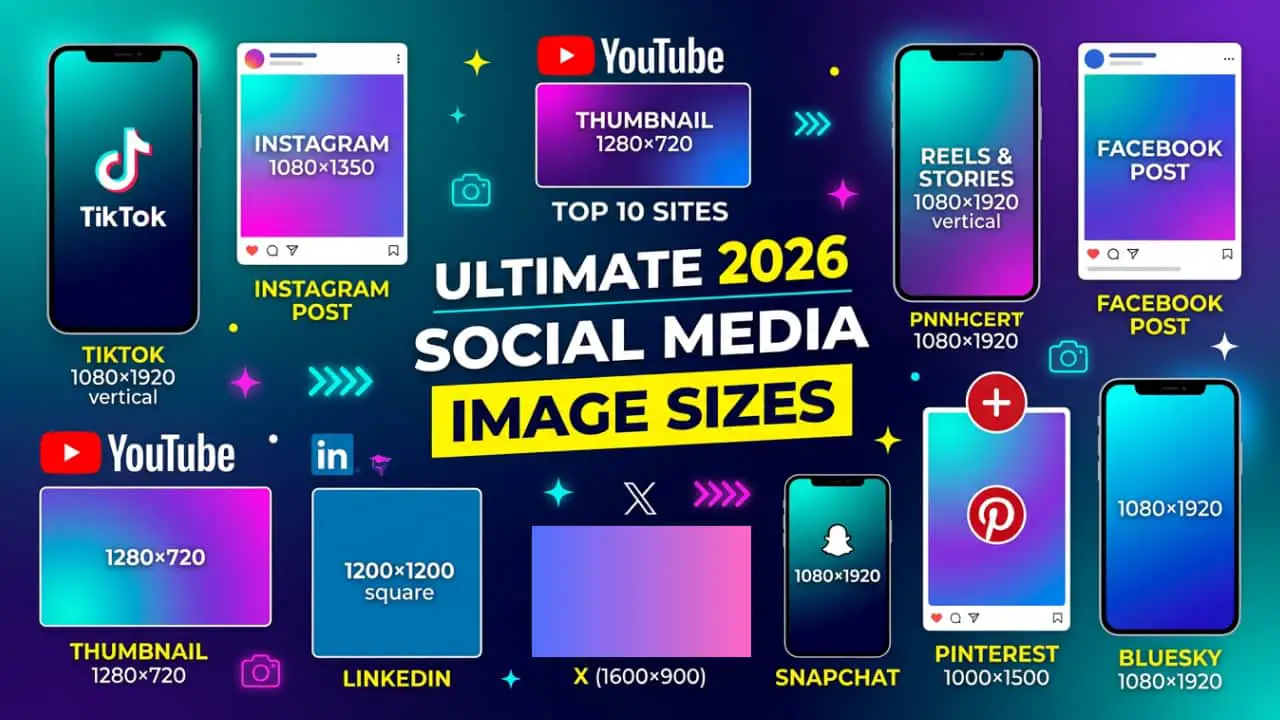
Social Media Image Sizes in 2026 - Complete Guide for All Platforms
1. Instagram Image Sizes
Instagram remains the gold standard for visual content, favoring high-resolution vertical formats to maximize mobile screen real estate. The platform's architecture captures attention during precious scrolling seconds, making image dimensions critical for visibility. Instagram's preference for tall verticals reflects its mobile-first philosophy-content that takes up more screen space naturally commands more attention. From profile pictures that display as circles to Stories that fill the entire screen, every specification serves the goal of immersive visual storytelling. Understanding these requirements means your content won't just appear on Instagram-it will thrive, engaging audiences exactly as the platform intends. Here are the essential specifications you need to master.
Instagram Image Specifications
Profile Picture: 320 × 320 px
Portrait Post (Best): 1080 × 1350 px (4:5)
Square Post: 1080 × 1080 px
Landscape Post: 1080 × 566 px
Stories & Reels: 1080 × 1920 px (9:16)
Instagram Ad Image Sizes
Feed Ads: The 2026 preferred standard is 1080 x 1440 px (3:4) to maximize screen space, though 1080 x 1350 px (4:5) and 1080 x 1080 px (1:1) are still widely used.
Stories & Reels Ads: 1080 x 1920 px (9:16). Leave the top 14% and bottom 20% clear of text and logos to avoid UI interference.
Explore Ads: 1080 x 1080 px (1:1).
Instagram Guidelines
Max File Size: 30 MB for feed posts; 4 GB for Stories/Reels.
Recommended File Type: JPG (best for photos), PNG (best for graphics/text).
Max Images per Post: 20 images (in a carousel).
2. Facebook Image Sizes
Facebook's image specifications reflect its evolution from desktop-first to mobile-optimized platform, requiring content that translates seamlessly across devices. The platform's dual-display nature means images render differently on desktop versus mobile, making centered safe zones crucial for maintaining visual integrity. With over 2.9 billion users accessing Facebook from various screen sizes, your images must adapt without losing impact. Facebook's specifications balance professional presentation with casual sharing, supporting everything from high-resolution cover photos to quick mobile uploads. The key is understanding how the platform scales and crops images across contexts-profile views, timeline posts, and shared links all have unique display requirements that affect how your content appears to your audience.
Facebook Image Specifications
Profile Picture: 320 × 320 px
Cover Photo: 851 × 315 px
Vertical Post: 1080 × 1350 px
Square Post: 1080 × 1080 px
Shared Link: 1200 × 630 px
Stories: 1080 × 1920 px
Facebook Ad Image Sizes
Feed Ads: 1080 x 1080 px (1:1) or 1440 x 1800 px (4:5) for mobile-only campaigns.
Right Column Ads: 1080 x 1080 px (1:1) is the 2026 recommendation for high-res desktop displays (minimum 254 x 133 px).
Stories Ads: 1080 x 1920 px (9:16).
Marketplace & Messenger: 1080 x 1080 px (1:1).
Facebook Guidelines
Max File Size: 30 MB for standard feed posts; 100 MB for high-res Profile/Cover photos.
Recommended File Type: JPG or PNG (use PNG for logos to avoid "fuzziness").
Max Images per Post: 10 images in a standard carousel; up to 80 images in a mobile photo album.
3. Threads Image Sizes
Meta's text-focused platform mirrors Instagram's visual architecture, creating remarkable cross-posting efficiency for content creators managing multiple accounts. Launched as a Twitter alternative, Threads emphasizes conversation while maintaining Instagram's visual standards, making it uniquely positioned between text and image platforms. The specifications deliberately align with Instagram to encourage seamless content sharing across Meta's ecosystem. For creators already producing Instagram content, Threads requires minimal adaptation-your existing vertical and square formats translate directly. This architectural similarity isn't coincidental; it's strategic design that reduces friction for users and creators alike. Understanding Threads means recognizing it as Instagram's conversational counterpart, where images enhance discussion rather than dominate it, but where visual quality remains equally important.
Threads Image Specifications
Profile Picture: 320 × 320 px
Feed Post:
1080 × 1350 px (4:5) OR
1080 × 1080 px (1:1)
Link Preview: 1200 × 600 px
Threads Ad Image Sizes
Feed Ads: While currently rolling out flexible options, the 2026 standard aligns with Instagram at 1080 x 1350 px (4:5).
Carousel Ads: 1080 x 1920 px (9:16) for full-screen immersive swiping.
Threads Guidelines
Max File Size: 100 MB per media file.
Recommended File Type: JPG, PNG, or WebP.
Max Images per Post: 10 to 20 images (limit varies by user, but 10 is the standard).
4. LinkedIn Image Sizes
LinkedIn's professional context demands higher visual standards than casual social platforms-graphics must be sharp, clear, and polished. This isn't the space for grainy screenshots or casual design choices; your images represent professional credibility. LinkedIn's specifications reflect business needs: larger profile pictures for professional recognition, wide banners for personal branding, and formats optimized for article publishing and thought leadership. With 900 million professionals using the platform for networking and career development, image quality directly impacts professional perception. Poorly optimized images on LinkedIn don't just look bad-they undermine authority and expertise. The platform rewards content that looks intentional and professionally produced, making specification adherence crucial for building credibility in professional spaces.
Linkedin Image Specifications
Profile Picture: 400 × 400 px
Company Logo: 300 × 300 px
Cover Banner: 1584 × 396 px
Feed Post:
1200 × 1200 px OR
1080 × 1350 px
Blog Featured Image: 1200 × 627 px
Linkedin Ad Image Sizes
Single Image Ads: 1200 x 627 px (1.91:1) for landscape or 1200 x 1200 px (1:1) for square.
Carousel Ads: 1080 x 1080 px (1:1) per card.
Spotlight Ads: 300 x 250 px for custom background images; 100 x 100 px for logos.
Message/InMail Ads: 300 x 250 px banner image.
Linkedin Guidelines
Max File Size: 5 MB for standard image posts; 100 MB if uploaded as a Document (PDF).
Recommended File Type: PNG-24 (essential for keeping text sharp on LinkedIn's compression).
Max Images per Post: 9 images in a grid; Unlimited (pages) if shared as a Document/Carousel.
5. X/Twitter Image Sizes
X's fast-paced timeline demands images that communicate instantly-users scroll rapidly, making immediate visual impact essential. The platform's evolution from text-first to increasingly visual reflects changing user behavior, where images now drive significantly higher engagement than text alone. Landscape and square formats dominate here, suited to the wide timeline layout and quick-scan browsing patterns. Unlike Instagram's immersive full-screen experience, X's timeline shows multiple posts simultaneously, meaning your images compete for attention in a crowded feed. Specifications reflect this competitive environment: images must be clear enough to grab attention at timeline size while maintaining quality when expanded. For brands and creators, understanding X's visual requirements means crafting content that stops mid-scroll while conveying messages clearly at any size.
X/Twitter Image Specifications
Profile Picture: 400 × 400 px
Header Banner: 1500 × 500 px
Landscape Post: 1600 × 900 px
Square Post: 1080 × 1080 px
X/Twitter Ad Image Sizes
Website/App Card: 800 x 418 px (1.91:1) or 800 x 800 px (1:1).
Single/Multi-Image Post Ads: Minimum 600 px wide; 1200 x 675 px (16:9) is the 2026 landscape standard.
Video Ads: 1200 x 1200 px (1:1) is recommended for consistency across mobile and desktop.
X/Twitter Guidelines
Max File Size: 5 MB on mobile; up to 15 MB on the web.
Recommended File Type: WebP (highest efficiency), JPG, or PNG.
Max Images per Post: 4 images.
6. YouTube Image Sizes
YouTube's success hinges on one critical visual element: the video thumbnail. This single image dramatically impacts click-through rates, viewer acquisition, and channel growth-making quality and dimensions absolutely crucial. Studies consistently show thumbnails directly influence viewing decisions, often mattering more than titles or descriptions. YouTube's specifications prioritize the 16:9 aspect ratio that dominates video viewing across devices, from smartphones to televisions. The platform's interface displays thumbnails at various sizes depending on context-search results, suggested videos, subscriptions feed-meaning your thumbnail must remain clear and compelling whether shown small or large. For content creators, thumbnail optimization isn't optional; it's the difference between videos that get discovered and those that languish unwatched despite quality content.
Youtube Image Specifications
Profile Picture: 800 × 800 px
Channel Banner: 2560 × 1440 px
Thumbnail: 1280 × 720 px
Shorts: 1080 × 1920 px
Community Post: 1080 × 1080 px
Youtube Ad Sizes
Display Ads: 300 x 250 px or 300 x 60 shorts appearing to the right of the feature video.
Overlay Ads: 468 x 60 px or 728 x 90 px (semi-transparent desktop ads).
Skippable/Non-Skippable Video: 1920 x 1080 px (16:9); 4K (3840 x 2160) is recommended for high-tier brands.
Shorts Ads: 1080 x 1920 px (9:16).
Youtube Guidelines
Max File Size: 2 MB for Thumbnails; 6 MB for Channel Banners.
Recommended File Type: JPG, PNG, or WebP (WebP is now widely preferred for faster loading).
Max Images per Post: 10 images (within a Community Tab post).
7. TikTok Image Sizes
TikTok's entire ecosystem revolves around vertical, mobile-first content, rejecting traditional horizontal video formats entirely. The platform pioneered the full-screen vertical video experience that's now industry standard, fundamentally changing how younger audiences consume content. Every design decision prioritizes smartphone viewing-there's no desktop upload option, no horizontal mode, no compromise on vertical orientation. This mobile exclusivity means TikTok specifications are remarkably simple: everything is 9:16 vertical. The platform's algorithm favors native content shot vertically rather than repurposed horizontal videos with black bars. For creators, this means thinking vertically from conception, not adaptation. TikTok's specifications reflect its core philosophy: content should be created for how people actually hold their phones, not how cameras traditionally framed the world.
Tiktok Image Specifications
Profile Picture: 200 × 200 px
Video Content: 1080 × 1920 px
Tiktok Ad Sizes
Standard In-Feed: 1080 x 1920 px (9:16).
Pangle Global Network: Supports 720 x 1280 px (9:16), 640 x 640 px (1:1), or 1200 x 628 px (1.91:1).
TopView Takeovers: 1080 x 1920 px (9:16). Keep critical visuals away from the bottom-left where the caption sits.
Tiktok Gidelines
Max File Size: 500 MB recommended (up to 1 GB for ad accounts).
Recommended File Type: JPG or PNG.
Max Images per Post: 35 images (when using "Photo Mode" carousels).
8. Pinterest Image Sizes
Pinterest actively favors tall, static visuals over wide formats, reflecting its core purpose as visual discovery and inspiration platform. Unlike social media where you fight for attention in crowded feeds, Pinterest users come specifically to browse and save visual content, making image quality paramount for discoverability. The platform's algorithm rewards pins that engage users, and taller images naturally command more screen space in the vertical scrolling feed. Pinterest functions more like visual search engine than traditional social network-specifications optimize for browsing behavior rather than social interaction. Pins can live indefinitely, driving traffic months or years after posting, making initial optimization crucial. For businesses and creators, understanding Pinterest's preference for vertical formats means creating content designed for long-term discovery rather than momentary engagement.
Pinterest Image Specifications
Profile Picture: 165 × 165 px
Pin Image: 1000 × 1500 px (2:3)
Story Pin: 1080 × 1920 px
Pinterest Ad Sizes
Standard Pins/Shopping Ads: 1000 x 1500 px (2:3). Anything longer than a 1:2.1 ratio will be truncated.
Carousel Ads: 1000 x 1500 px (2:3) or 1000 x 1000 px (1:1).
Collections Ads: 1000 x 1000 px (1:1) or 1000 x 1500 px (2:3) for the hero image.
Pinterest Guidelines
Max File Size: 20 MB (though sticking under 10 MB helps with load-time SEO).
Recommended File Type: JPG (for pins), PNG (for transparent graphics).
Max Images per Post: 5 images (Carousel) or up to 20 pages (Idea Pins).
9. Snapchat Image Sizes
Snapchat pioneered the vertical, full-screen mobile experience that's now ubiquitous across social media, fundamentally changing how platforms approach visual content. Before Instagram Stories or TikTok existed, Snapchat established that smartphone content should fill the entire screen vertically, rejecting horizontal video's dominance. The platform's ephemeral nature-content disappearing after viewing-created unique design requirements focusing on immediate, immersive impact. Every piece of content designs for phone-in-hand viewing, with augmented reality filters and full-screen takeovers that demand precise dimension adherence. Snapchat's younger user base expects seamless, native vertical content; anything less feels dated. For brands targeting Gen Z audiences, understanding Snapchat's specifications means respecting the platform that invented modern vertical-first design philosophy.
Snapchat Image Specifications
Profile Logo: 1080 × 1080 px
Story/Ad: 1080 × 1920 px
Snapchat Ad Sizes
Single Image/Video Ads: 1080 x 1920 px (9:16).
Story Ads: 1080 x 1920 px (9:16).
Commercials (6-second non-skippable): 1080 x 1920 px (9:16).
Extended Play: Up to 180 seconds in 9:16 format.
Snapchat Guidelines
Max File Size: 5 MB for static images; 1 GB for video assets.
Recommended File Type: JPG or PNG.
Max Images per Post: 1 image per Snap (multi-snap stories are posted sequentially).
10. Bluesky Image Sizes
As social media's newest major player, Bluesky adopts familiar specifications that reduce friction for creators already managing multiple platforms. Built as a decentralized alternative to established networks, Bluesky's technical requirements mirror industry standards rather than innovating new formats-a strategic choice that welcomes creators without forcing workflow changes. The platform's specifications reflect lessons learned from Twitter's evolution, Facebook's dominance, and user expectations shaped by years of multi-platform content creation. For creators evaluating whether to invest time in Bluesky, the good news is straightforward: if you're already creating content for Twitter/X, LinkedIn, or Facebook, you already have most assets needed. Bluesky's approach to specifications prioritizes compatibility over differentiation, making adoption relatively seamless for established creators expanding their presence.
Bluesky Image Specifications
Profile Picture: 400 × 400 px
Banner: 2560 × 660 px
Feed Image: 1200 × 627 px
Bluesky Ad Sizes
Promoted Posts (Skeets): Maximum 1000 px on the longest side.
Standard Ratios: 1000 x 1000 px (1:1) is the 2026 optimal choice, but 1000 x 563 px (16:9) and 800 x 1000 px (4:5) are fully supported for specialized content.
Bluesky Guidelines
Max File Size: 1 MB per image (very strict limit).
Recommended File Type: JPG (to stay under the 1 MB cap).
Max Images per Post: 4 images.
Pro Tips for Multi-Platform Success
Design for Vertical, Adapt for Horizontal: Create primary content at 1080 × 1920 pixels for Reels, TikTok, Stories, and Shorts. Crop or adapt to landscape for YouTube thumbnails or Twitter posts-more efficient than working reverse.
Safe Zone Matters: Leave 250 pixels padding at top and bottom for vertical content. App UI elements and profile icons often cover these areas-your call-to-action loses impact when hidden behind buttons.
Balance Quality and File Size: Save images at 90–95% JPEG quality but keep sizes reasonable. Platforms compress uploads-a 5MB image doesn't display better than a well-optimized 500KB version.
Test Mobile First: Over 80% of social media happens on mobile. Always preview on actual smartphones. Colors differ, text might be too small, and desktop-perfect layouts can feel cramped on 6-inch screens.
Batch Your Design: Create templates at key sizes (1080×1080 square, 1080×1350 vertical, 1080×1920 stories) and adapt content across formats. This saves hours while maintaining visual consistency.
Maintain Brand Consistency: Use same color palettes, typography, and design elements across all formats. Your audience should instantly recognize your content regardless of platform.
Conclusion
Understanding image sizes isn’t about memorizing numbers-it’s about creating content that looks perfect everywhere. Each platform has its own style, but the core principle remains the same: use high-quality images with the right aspect ratios. Start with a 1080px base and adapt formats like square, vertical, and landscape as needed. When your visuals are optimized, you improve engagement, build credibility, and maximize reach-allowing you to focus on what truly matters: creating impactful content.